Publish
Publish skills to agentregistry so others can discover and pull them.
About publishing skills
Agentregistry serves as a catalog for your AI artifacts, including agents, skills, and MCP servers. To control which images you want to make available to your teams, you can use the publishing capability in agentregistry. If a skill is published, a reference to its source (container image or GitHub repository) is stored in agentregistry. This allows teams to quickly discover approved skills and pull them from the registry.
Agentregistry supports two publishing modes:
- From a local skill folder: Reads metadata from a local
SKILL.mdfile and publishes the skill as either a Docker image or a GitHub repository reference. - Direct registration: Registers a skill by name from a GitHub repository without needing any local files.
When you publish the skill from a local skill folder, you can choose between two packaging options:
- Docker image (
--docker-url): Builds a container image from the skill folder and registers it. Use--pushto also push the image to your container registry. - GitHub repository (
--github): Registers a GitHub repository URL as the skill source. No Docker build is performed.
Before you begin
- Follow the Get started guide to set up agentregistry and start the agentregistry daemon.
- If publishing from a local folder, create a skill first.
Publish the skill
Review the different ways how you can publish a skill.
Option 1: Publish as a Docker image
Use this option to build a Docker image from your skill folder and register it in agentregistry.
The following command builds and tags the skill image as docker.io/user/hello-world-template:latest and creates a catalog entry for the skill in agentregistry. Note that docker.io/user is a dummy container registry address that is used for testing purposes.
arctl skill publish myskill --docker-url docker.io/userExample output:
Found 1 skill(s) to publish
Processing skill: /Users/myuser/Downloads/myskill
Building Docker image (Dockerfile via stdin): docker build -t docker.io/user/hello-world-template:latest -f - /Users/myuser/Downloads/myskill
[+] Building 0.2s (5/5) FINISHED
...
✓ Skill publishing complete!
--push option. You can set the target platform with --platform (e.g., linux/amd64) and the image tag with --tag. Make sure that you are logged in to your container registry before you run the command. To preview the registry entry without creating it, use the --dry-run flag.Option 2: Publish from a GitHub repository (with local folder)
Use this option when you have the skill files locally but want to register a GitHub repository as the source instead of building a Docker image. The skill metadata, such as the name and description, is read from the local SKILL.md file.
arctl skill publish ./myskill \
  --github https://github.com/myorg/my-skills/tree/main/skills/myskill \
  --version 1.0.0
The --github flag accepts full GitHub tree URLs that include a branch and subdirectory path. This path tells the registry exactly where to find the skill within the repository:
| URL format | Example |
|---|---|
| Repository root | https://github.com/myorg/my-skills |
| Specific branch | https://github.com/myorg/my-skills/tree/main |
| Branch and subdirectory | https://github.com/myorg/my-skills/tree/main/skills/myskill |
--dry-run flag.Option 3: Direct registration (no local files needed)
Use this option to register a skill that exists only in a GitHub repository without needing any local files. Instead of reading from a SKILL.md file, you provide the skill name and metadata directly via flags.
arctl skill publish my-remote-skill \
  --github https://github.com/myorg/my-skills/tree/main/skills/my-remote-skill \
  --version 1.0.0 \
  --description "A remotely hosted skill"
In direct mode:
- The first argument is the skill name (not a folder path).
--githuband--versionare required and represent the source GitHub repository and the version you want to use for your skill.--descriptionis optional.
--dry-run flag.Verify the published skill
-
List the skill references in agentregistry. Verify that you see an entry for the skill that you just published.
arctl skill listExample output:
NAME TITLE VERSION CATEGORY PUBLISHED WEBSITE hello-world-template latest <none> True -
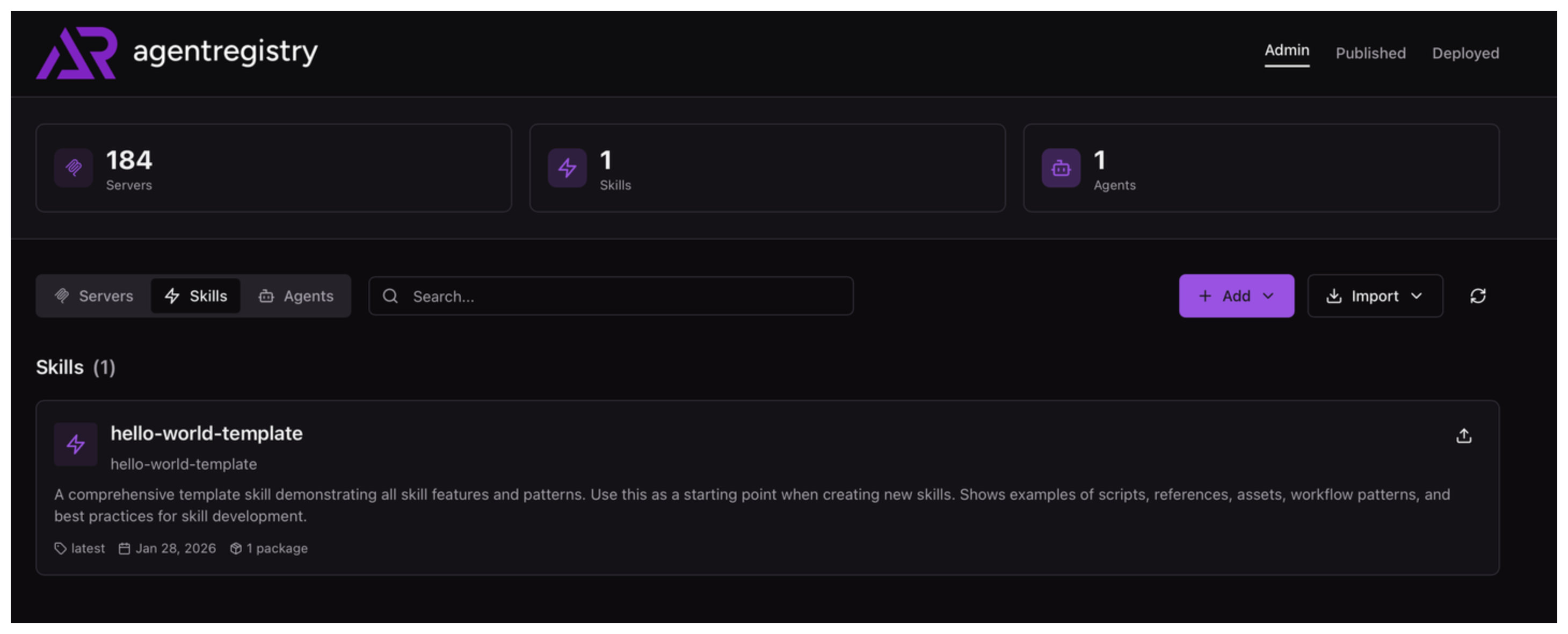
Optional: Open the agentregistry UI and go to the Skills view. Verify that you can see your skill.
Next steps
- Pull a skill from the registry to use it locally.
Cleanup
To unpublish a skill from agentregistry, use the arctl skill delete command.
arctl skill delete hello-world-template --version latest